Tuesday, April 7, 2015

Class 10, The Education Grid

I went onto theeducationgrid.org and read about the education grid and what it is. From what I understand, it is a few separate virtual worlds that are being used exclusively for the purpose of education. Within these worlds, students have usernames and avatars; both have to be exclusive to the particular student, using correct names and visuals. Because of this, the education grid is able to keep out anyone that has logged in for a purpose other than education.

Upon further reading, I learned that the virtual worlds that are used are "Second Life", "Sun Microsystems Laboratory's Project Wonderland", and "Croquet". I have used Second Life for this class, and I can see how it would be fun for younger students to walk around in a virtual world like this and be able to interact with things to learn.


Class 10, Collaborative Coding in PlayCanvas

I browsed the PlayCanvas website at playcanvas.com and found a game I played earlier on in the semester called star-lord which deals with a robotic looking guy with high graphics detail. I looked into this project a little more to learn a bit about collaborative coding, because one person simply cannot do that much!

In the overview section we can see the team that designed the game over on the left side of the screen. These are the people that collaborated to write the code for this game.
 Next, I clicked the code tab in the middle of the screen and picked one to check out! As seen below, the code for this game is way out of my league, there were about 10 different ones to click on and look at, all of which being multiple pages long. Projects like this require more than one person to collaborate and write the code for, because they are too detailed for one person to do alone. Some popular video-games, including Assassin's Creed and Grand Theft Auto had over one thousand people collaborating to make the game possible.

Class 10, Second Life Sandboxes

Here are my screenshots of building in Second Life. I found this more difficult than building in minecraft, and although more shapes could be used (other than all squares in minecraft) it somehow felt more limited.

 Here I found the "shiromani sandbox" with some people outside in the grassy area.


 I began building and moving misplaced boxes around.

This was my best attempt at a doorway, much harder than minecraft! Still was able to walk through with little issue though.
 Next, I went to a techlab sandbox and started making little triangles and circles. Half way through this I had an idea for something better I could build with the limitations I was working with.

 I constructed one of those games that are popular in the world's strongest man competition, where contestants have to hoist extremely heavy circular stones onto platforms that are higher and higher each time.

Final #4: High Resolution Avatar

Here are my process screenshots of making my 3D avatar in makehuman. I tried to make it look as much like me as possible, I was able to get from the neck down to be pretty accurate, but the face was challenging.
I began with the blank template human, and customized the "main" category to be as accurate as I could, before moving on to the other categories.

In these two screenshots (above) I made the torso and legs fit my profile.

Next, I used different angles to make the arms equal in size, as well as make the chest/back depth more realistic.
I was not sure if this function did anything else, but it looked cool so I figured I'd throw it in the screenshots.
Last but not least, a nice suit!

This is a final exercise where I used "MakeHuman" software to create an avatar that looked like me. It is a final exercise from the Immersive Education course that I am taking at Boston College. The course is called Discovering Computer Graphics. For details, visit the immersive BC portal at http://ImmersiveEducation.org/@/bc  http://ImmersiveEducation.org/@/bc

FINAL 5c: My Customized Java Game

Finally my game is done! It can be seen at http://www.greenfoot.org/scenarios/13586. I replaced the turtle with myself, the lettuce with protein shakes and the snake with the iED logo. This game represents the struggle between trying to find time for school work and going to the gym, my favorite hobby.


Here in the final pic we can see I change the turtle world to "GymWorld" and renamed the actor classes accordingly. Hope you all get a laugh out of this!

This is a final exercise where we used Java to learn source coding at a basic level. It is a final exercise from the Immersive Education course that I am taking at Boston College. The course is called Discovering Computer Graphics. For details, visit the immersive BC portal at http://ImmersiveEducation.org/@/bc 

Monday, April 6, 2015

FINAL 5b: Greenfoot Lettuce and Snake

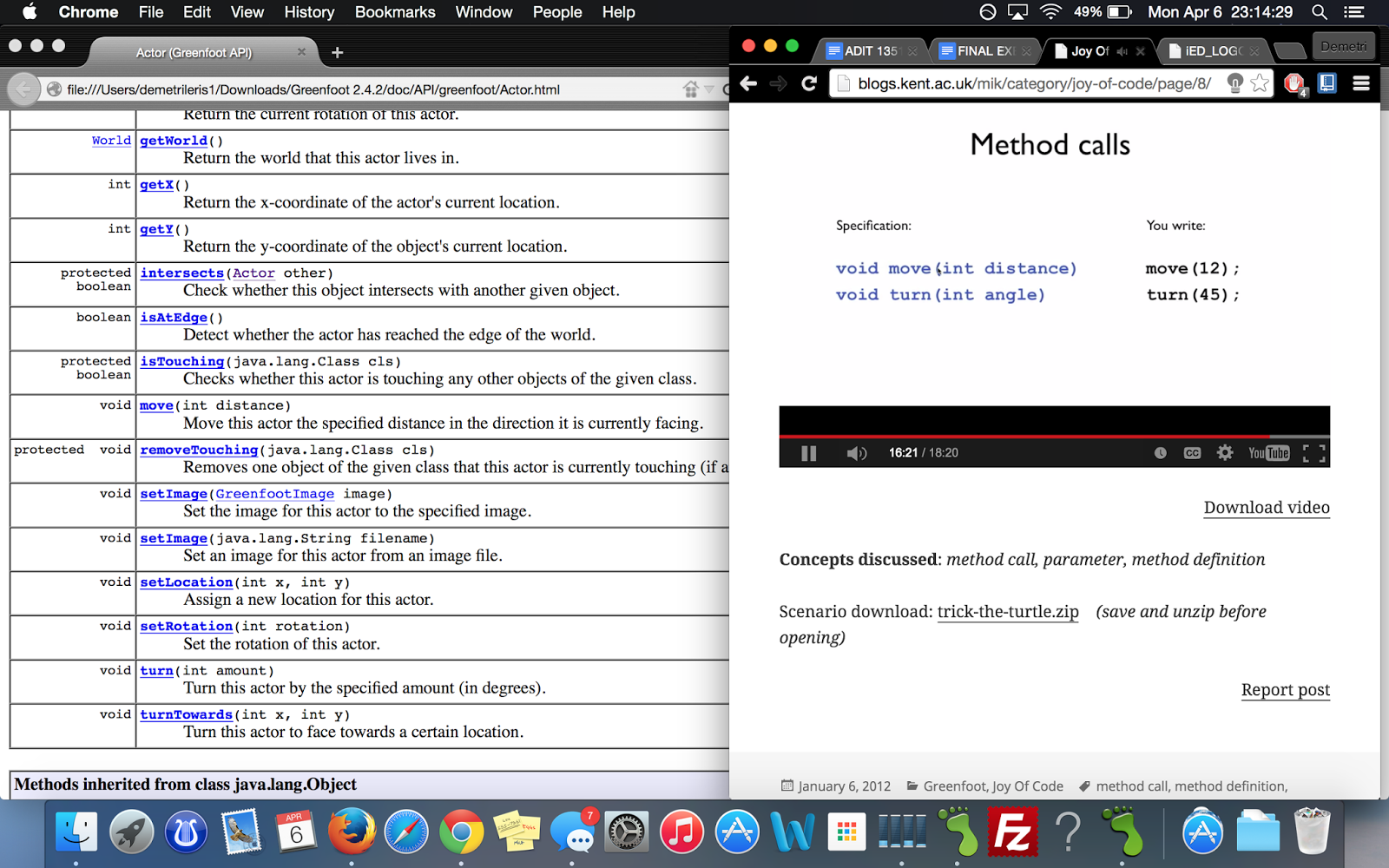
Below are screenshots of me going through the tutorials to make the turtle/snake game. My finished project (thus far) can be seen at http://www.greenfoot.org/scenarios/13586


This is a final exercise where we used Java to learn source coding at a basic level. It is a final exercise from the Immersive Education course that I am taking at Boston College. The course is called Discovering Computer Graphics. For details, visit the immersive BC portal at http://ImmersiveEducation.org/@/bc 

FINAL 5a: Greenfoot JoC #4 Finally Some Code!

Here are screenshots of the first tutorial I watched dealing with hedgehogs, and the second video I watched (the "finally some code" video) dealing with programming the turtles!


 These last two larger images show the program running on my computer
This is a final exercise where we used Java to learn source coding at a basic level. It is a final exercise from the Immersive Education course that I am taking at Boston College. The course is called Discovering Computer Graphics. For details, visit the immersive BC portal at http://ImmersiveEducation.org/@/bc